

QUICKTEMPER
End of first yr. project
3 weeks - Unity Engine - 3 people team
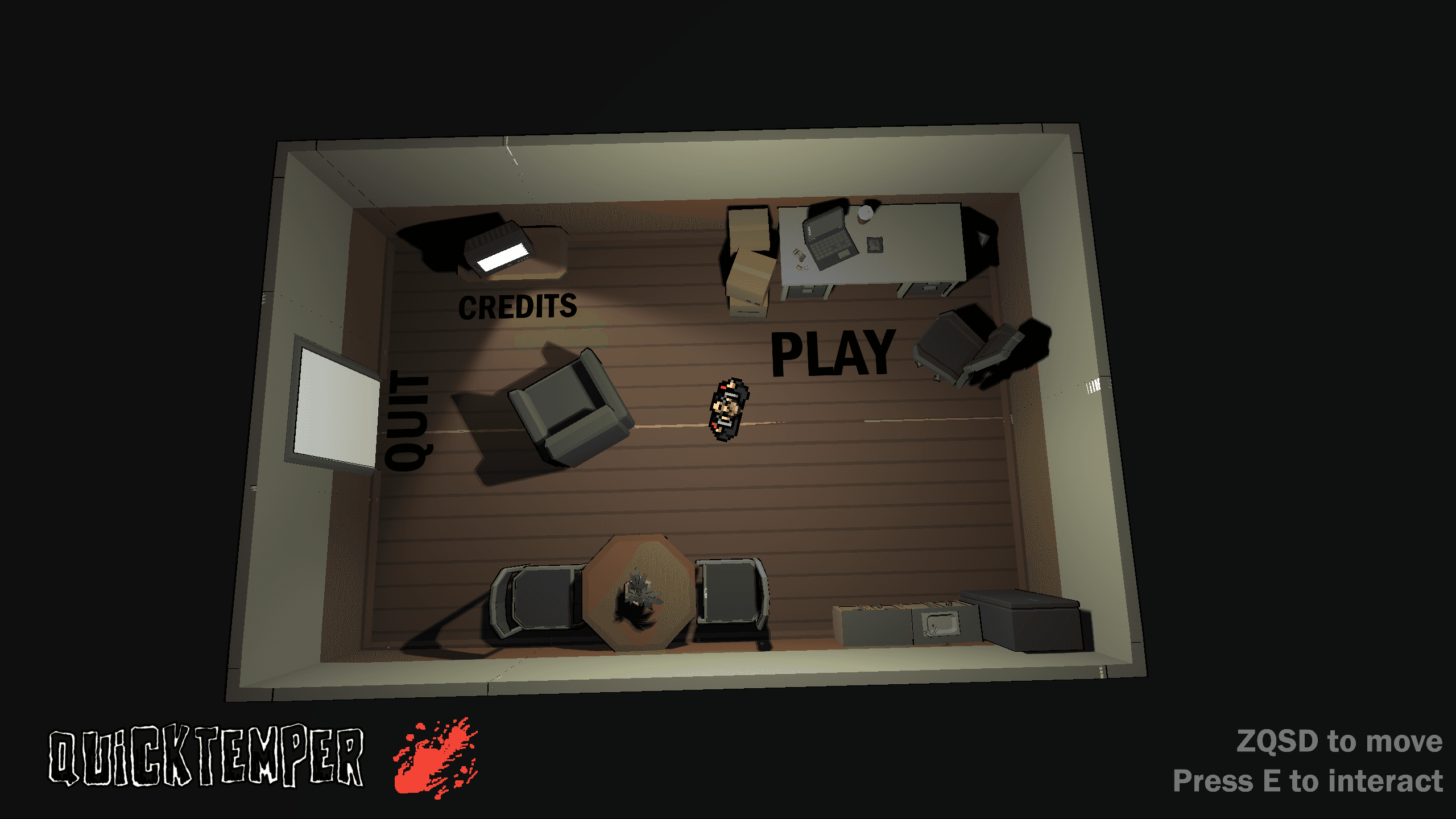
QuickTemper
Top-down 2.5D Beat ’Em All – Unity3D
Developed by three Game Design students over a three-week period as our first-year final project at BRASSART.
🎮 Game Concept
The player takes on the role of a contract killer sent on cleanup missions across various environments.
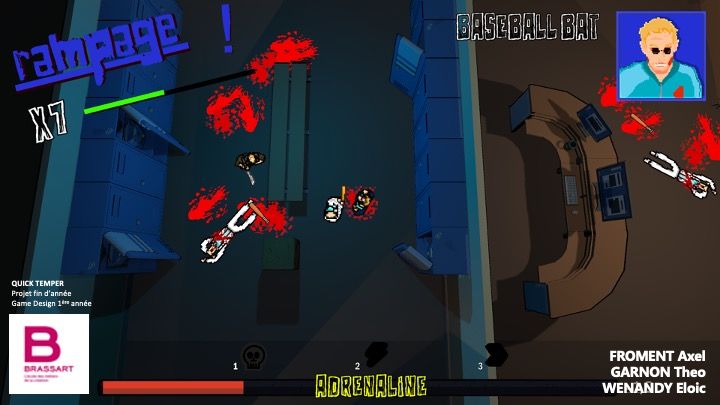
The core gameplay revolves around close-quarters combat against groups of enemies while managing an adrenaline gauge.
This gauge works as a combo system that multiplies the player’s damage based on their ability to chain kills and maintain momentum.
The game draws heavy inspiration from Hotline Miami for its “3C” (Character, Camera, Controls) philosophy, but with a twist — focusing more on rhythm and adrenaline management.
The tone and world borrow from Hitman, but with a lighter, more stylized approach.
🧩 Team Roles
For this first “real” project of our studies, we were three Game Design students sharing the design responsibilities:
Axel Froment – Production management
Eloïc Wenandy – Level design
Myself – Programming and art direction
We also received help from Tessa Omar, who created the HUD design, and Alex Menu, who modeled the destructible wooden crate.
🧠 My Contribution
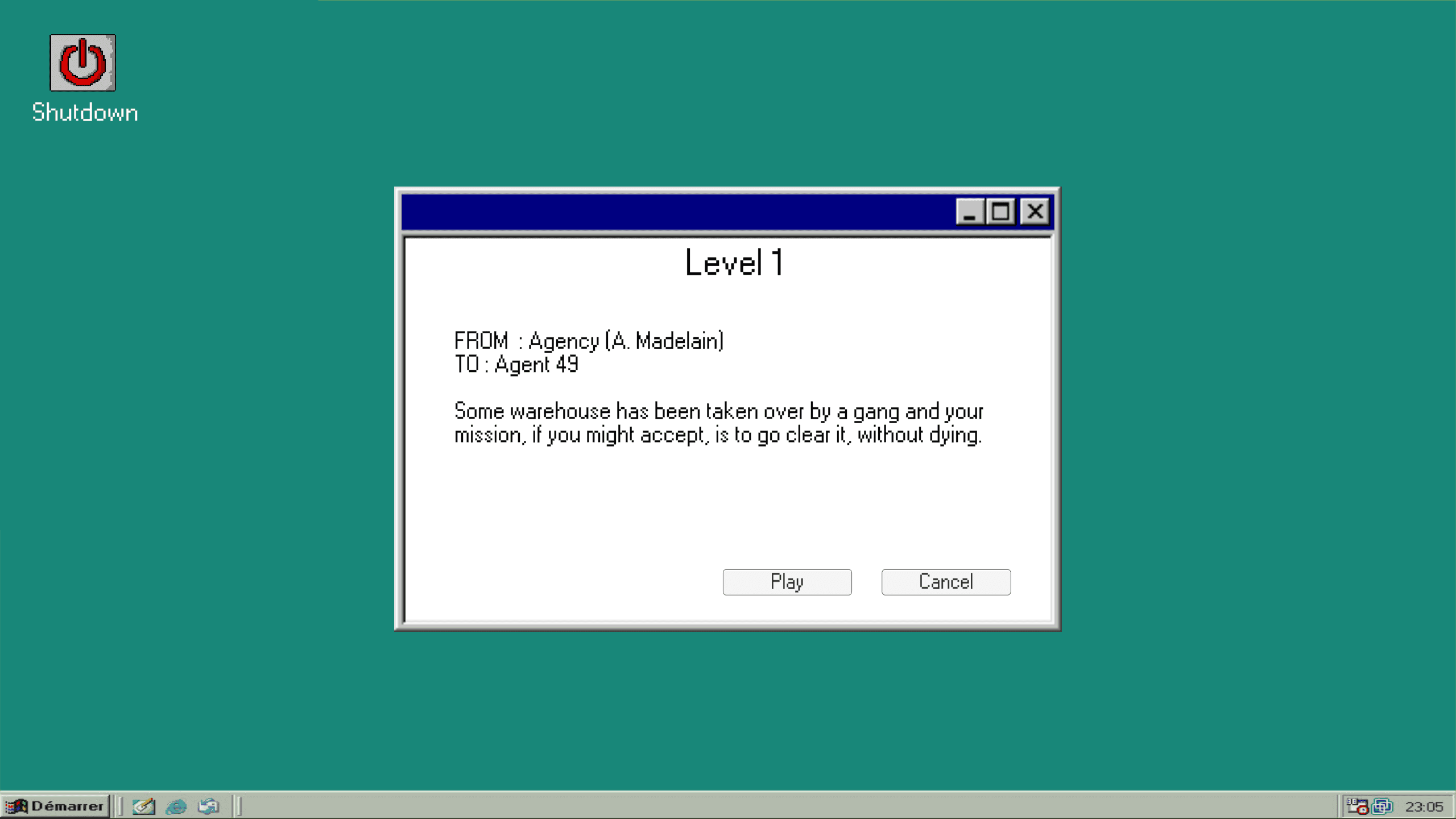
I built the entire project around modular scripts handling gameplay logic, UI, interactions, and cinematic sequences.
The game’s architecture was organized with clear separation of responsibilities:
GameScript – Orchestrates global game state: power-ups, damage multipliers, scene transitions, and win/loss conditions.
PlayerScript – Manages player input, weapons, and adrenaline gauge.
EnemyScript – Combines NavMeshAgent navigation, Raycast detection, and combat behavior.
Physical interactions and destructible objects (bombs, crates, doors, etc.) are managed through dedicated scripts that instantiate prefabs and trigger visual and sound effects upon impact.
The combat and progression systems rely on non-MonoBehaviour C# classes such as MeleeWeapon and PowerUp, encapsulating weapon and upgrade data.
Scripts like WeaponScript and PowerUpCrateScript handle their pickup and activation, while the GameScript dynamically adjusts stats (speed, damage, knockback) based on combo and power-up states.
The UI system (UIScript) stays synchronized with the player’s status — adrenaline bar, combo counter, weapon and power-up indicators, and pause menu — all powered by TextMeshPro, Image, and Animator for responsive feedback.
On the technical side, the project leverages several efficient Unity design patterns:
Coroutines for cutscenes and typing effects (Tuto / Cinematic scripts)
Animator Triggers for syncing animations and attack hitboxes
Raycasts and LayerMasks for aiming
NavMeshAgent for enemy navigation
World interactions (explosions, object ejections, UI toggles) rely on Rigidbody and Collider instantiation, with timing handled through Invoke and deltaTime.
Finally, I used a Toon Shader on the environment to match the game’s slightly cartoonish aesthetic, softening the tone of the violence.
🌱 Conclusion
QuickTemper was a highly formative project — my first fully original game built from scratch (unlike Sacred Child, which used a toolkit).
Though far from perfect, it represents a solid achievement considering we had only been learning Unity for six months.
Looking back, I’m genuinely proud of how much I learned in such a short time.
QuickTemper
Top-down 2.5D Beat ’Em All – Unity3D
Developed by three Game Design students over a three-week period as our first-year final project at BRASSART.
🎮 Game Concept
The player takes on the role of a contract killer sent on cleanup missions across various environments.
The core gameplay revolves around close-quarters combat against groups of enemies while managing an adrenaline gauge.
This gauge works as a combo system that multiplies the player’s damage based on their ability to chain kills and maintain momentum.
The game draws heavy inspiration from Hotline Miami for its “3C” (Character, Camera, Controls) philosophy, but with a twist — focusing more on rhythm and adrenaline management.
The tone and world borrow from Hitman, but with a lighter, more stylized approach.
🧩 Team Roles
For this first “real” project of our studies, we were three Game Design students sharing the design responsibilities:
Axel Froment – Production management
Eloïc Wenandy – Level design
Myself – Programming and art direction
We also received help from Tessa Omar, who created the HUD design, and Alex Menu, who modeled the destructible wooden crate.
🧠 My Contribution
I built the entire project around modular scripts handling gameplay logic, UI, interactions, and cinematic sequences.
The game’s architecture was organized with clear separation of responsibilities:
GameScript – Orchestrates global game state: power-ups, damage multipliers, scene transitions, and win/loss conditions.
PlayerScript – Manages player input, weapons, and adrenaline gauge.
EnemyScript – Combines NavMeshAgent navigation, Raycast detection, and combat behavior.
Physical interactions and destructible objects (bombs, crates, doors, etc.) are managed through dedicated scripts that instantiate prefabs and trigger visual and sound effects upon impact.
The combat and progression systems rely on non-MonoBehaviour C# classes such as MeleeWeapon and PowerUp, encapsulating weapon and upgrade data.
Scripts like WeaponScript and PowerUpCrateScript handle their pickup and activation, while the GameScript dynamically adjusts stats (speed, damage, knockback) based on combo and power-up states.
The UI system (UIScript) stays synchronized with the player’s status — adrenaline bar, combo counter, weapon and power-up indicators, and pause menu — all powered by TextMeshPro, Image, and Animator for responsive feedback.
On the technical side, the project leverages several efficient Unity design patterns:
Coroutines for cutscenes and typing effects (Tuto / Cinematic scripts)
Animator Triggers for syncing animations and attack hitboxes
Raycasts and LayerMasks for aiming
NavMeshAgent for enemy navigation
World interactions (explosions, object ejections, UI toggles) rely on Rigidbody and Collider instantiation, with timing handled through Invoke and deltaTime.
Finally, I used a Toon Shader on the environment to match the game’s slightly cartoonish aesthetic, softening the tone of the violence.
🌱 Conclusion
QuickTemper was a highly formative project — my first fully original game built from scratch (unlike Sacred Child, which used a toolkit).
Though far from perfect, it represents a solid achievement considering we had only been learning Unity for six months.
Looking back, I’m genuinely proud of how much I learned in such a short time.
QuickTemper
Top-down 2.5D Beat ’Em All – Unity3D
Developed by three Game Design students over a three-week period as our first-year final project at BRASSART.
🎮 Game Concept
The player takes on the role of a contract killer sent on cleanup missions across various environments.
The core gameplay revolves around close-quarters combat against groups of enemies while managing an adrenaline gauge.
This gauge works as a combo system that multiplies the player’s damage based on their ability to chain kills and maintain momentum.
The game draws heavy inspiration from Hotline Miami for its “3C” (Character, Camera, Controls) philosophy, but with a twist — focusing more on rhythm and adrenaline management.
The tone and world borrow from Hitman, but with a lighter, more stylized approach.
🧩 Team Roles
For this first “real” project of our studies, we were three Game Design students sharing the design responsibilities:
Axel Froment – Production management
Eloïc Wenandy – Level design
Myself – Programming and art direction
We also received help from Tessa Omar, who created the HUD design, and Alex Menu, who modeled the destructible wooden crate.
🧠 My Contribution
I built the entire project around modular scripts handling gameplay logic, UI, interactions, and cinematic sequences.
The game’s architecture was organized with clear separation of responsibilities:
GameScript – Orchestrates global game state: power-ups, damage multipliers, scene transitions, and win/loss conditions.
PlayerScript – Manages player input, weapons, and adrenaline gauge.
EnemyScript – Combines NavMeshAgent navigation, Raycast detection, and combat behavior.
Physical interactions and destructible objects (bombs, crates, doors, etc.) are managed through dedicated scripts that instantiate prefabs and trigger visual and sound effects upon impact.
The combat and progression systems rely on non-MonoBehaviour C# classes such as MeleeWeapon and PowerUp, encapsulating weapon and upgrade data.
Scripts like WeaponScript and PowerUpCrateScript handle their pickup and activation, while the GameScript dynamically adjusts stats (speed, damage, knockback) based on combo and power-up states.
The UI system (UIScript) stays synchronized with the player’s status — adrenaline bar, combo counter, weapon and power-up indicators, and pause menu — all powered by TextMeshPro, Image, and Animator for responsive feedback.
On the technical side, the project leverages several efficient Unity design patterns:
Coroutines for cutscenes and typing effects (Tuto / Cinematic scripts)
Animator Triggers for syncing animations and attack hitboxes
Raycasts and LayerMasks for aiming
NavMeshAgent for enemy navigation
World interactions (explosions, object ejections, UI toggles) rely on Rigidbody and Collider instantiation, with timing handled through Invoke and deltaTime.
Finally, I used a Toon Shader on the environment to match the game’s slightly cartoonish aesthetic, softening the tone of the violence.
🌱 Conclusion
QuickTemper was a highly formative project — my first fully original game built from scratch (unlike Sacred Child, which used a toolkit).
Though far from perfect, it represents a solid achievement considering we had only been learning Unity for six months.
Looking back, I’m genuinely proud of how much I learned in such a short time.

PLAYABLE
PLAYABLE